 Americano Padel Manager
 Share your padel tournament standings as a video and an image
When a tournament ends, the standings deserve better than a blurry screenshot dropped into the group chat. Americano Padel Manager offers two ways to share them: a vertical image of the leaderboard, with the podium and the full table, and a recap video where each player’s bar grows and reshuffles round after round, in the style of those ranking evolution videos.
This is the moment everyone waits for without saying so: seeing who won, and above all seeing how the standings moved during the evening. Here is what each format shows and how to get it.

The evening does not end on the last point
A social tournament lives on after the final point as much as during play. Players want to know where they finished, who climbed, who was leading at halfway before falling apart. That is what brings a group back the following week.
The problem is that this story gets lost. The organiser puts the phone away, the standings stay inside the app, and all that comes out is a badly framed screenshot where you can read neither the tournament name nor the columns. The table that carried the whole evening disappears within minutes.
Two ways to share the standings
The standings image
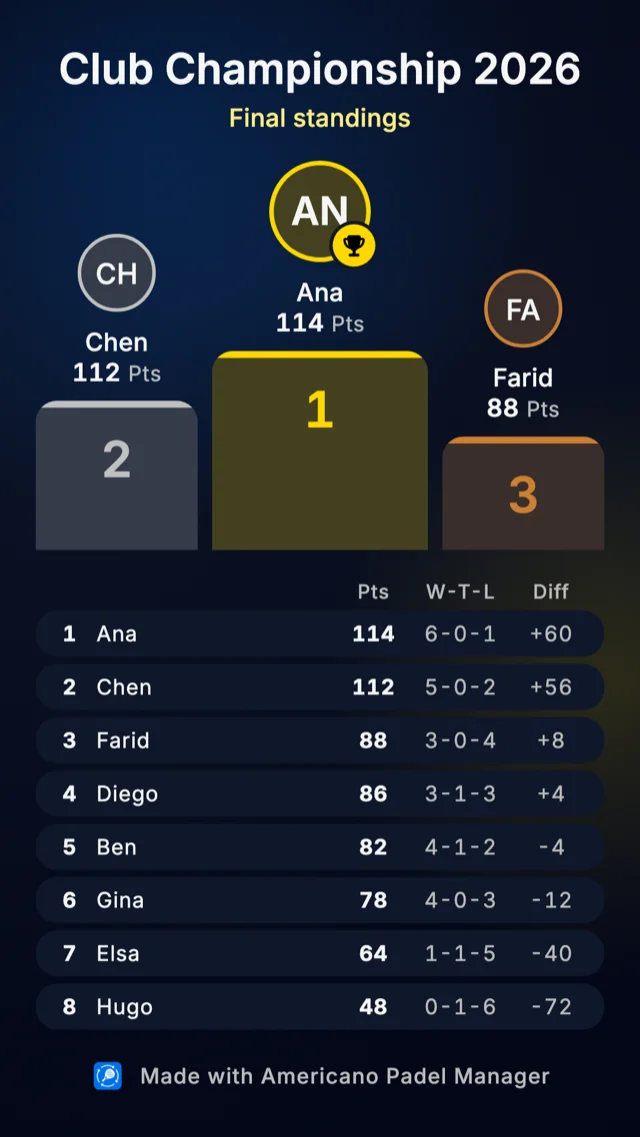
From the leaderboard screen, the share icon produces a vertical image ready to send: the tournament name, the podium, then the full standings with all their columns.
The vertical format is chosen for how people actually share: a group chat or a story. The standings are readable as they are, with no cropping or zooming, and the image goes straight into the phone’s usual share sheet.
The export works at any point in the tournament, not only at the end. Sharing the standings at halfway is in fact a good way to fire the group back up between rounds.
The recap video
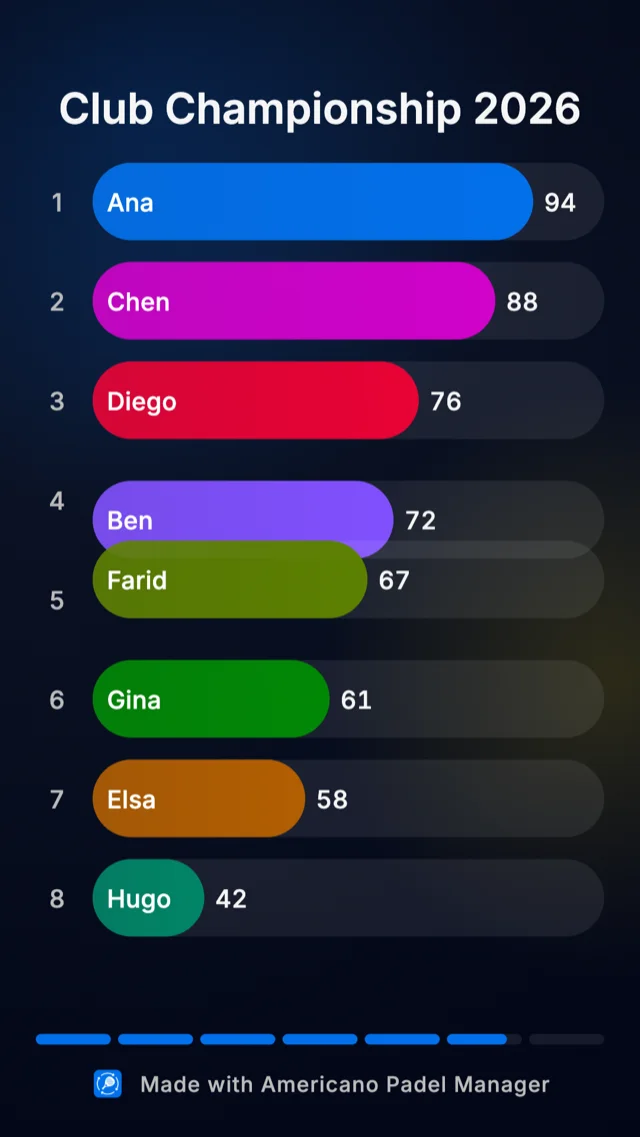
This is the more spectacular format. From the standings evolution card, the Watch video option opens an animation where every player is represented by a bar. Round after round, the bars grow and reorder themselves, showing how the leaderboard shifted across the whole session.
You see what no final table ever tells: the player who led after three rounds and then collapsed, the one who climbed from eighth to second in the closing matches, the gap that widens as the evening goes on.
The video is first watched as a preview inside the app. It can then be exported as a vertical MP4, generated directly on the device, and shared like any other video.
Which format for which use
The image is about the result: it reads in a second, it prints, it serves as the official record of the session.
The video is about the story: it lasts a few seconds, it gets watched on loop, and it is the one that sets off the reactions in the group. It is also the format that makes the people who missed the session want to show up next time.
What it takes to work
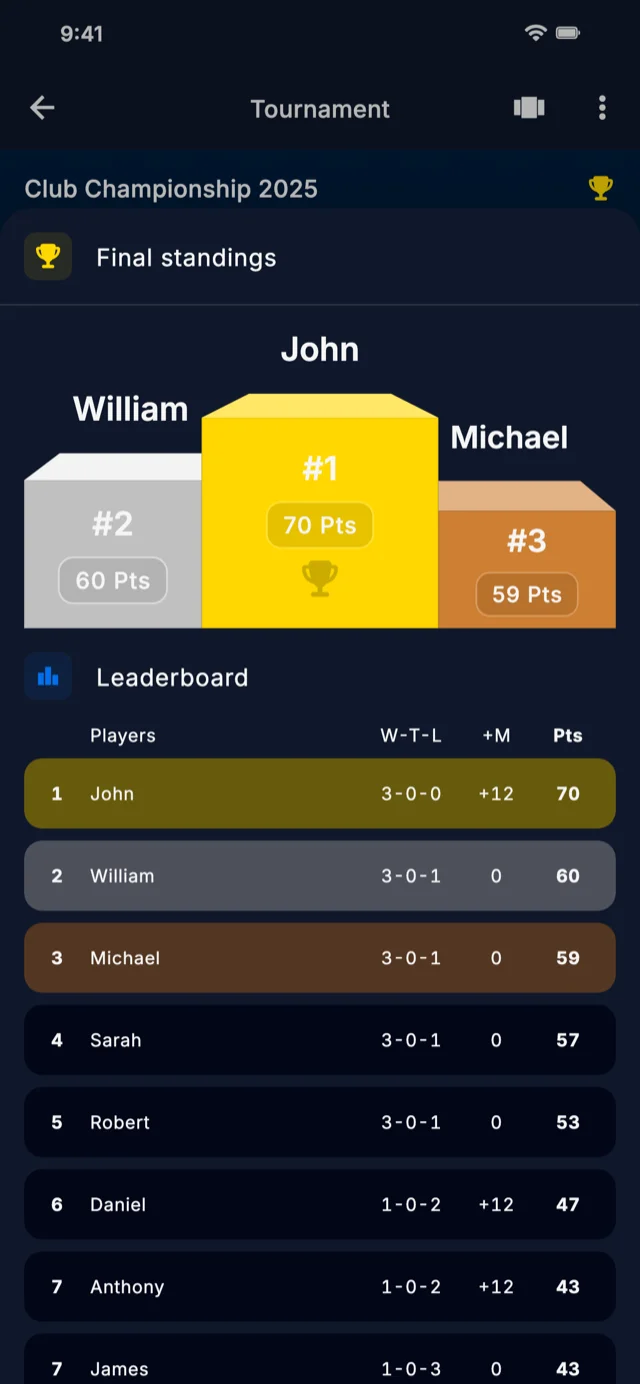
Both formats rest on the same data: the scores entered during the tournament.
The standings evolution card, which is the entry point to the video, only appears once at least one score has been recorded. In other words, there is nothing to enable or configure: if you entered your scores round by round, the history already exists and the animation builds itself.
That is one more reason to record scores as you go rather than saving everything for the end. A leaderboard filled in one block at the last minute will produce a flat video, since the app has no intermediate state to animate. Our guide to americano scoring explains how points stack up round after round.
What it changes for a club
For a club running a weekly session, these exports settle a very concrete question: how to keep the group alive between two dates.
A standings image sent to the group the same evening stretches the session by a few hours. A recap video posted on the club’s social channels shows the real atmosphere of an americano, which no photo of an empty court ever does, and gives a taste of the format to people who have never tried it.
And for the players themselves, watching your own bar climb the leaderboard is a form of recognition the final table never gives. The winner is happy to win, but the player who finishes sixth after starting twelfth gets a moment too. Our complete feature guide covers the rest of what is available at the end of a tournament.
Frequently asked questions
How do you share padel tournament standings?
From the leaderboard screen in Americano Padel Manager, the share icon generates a vertical image containing the tournament name, the podium and the full standings with all their columns. It then goes into the phone’s share sheet, towards a group chat, a story or any other app.
What is the tournament recap video?
It is an animation of the standings where each player is represented by a bar that grows and reorders itself round after round, in the spirit of ranking evolution videos. You watch it as a preview inside the app first, then export it as a vertical MP4 and share it.
Do you need an internet connection to generate the video?
No. The video is generated directly on the device from the scores already entered, without going through a server. So you can produce it at the club, even with no usable signal by the courts, and share it later.
Can you share the standings before the tournament ends?
Yes, the standings image exports at any moment, including mid session. It is a good way to pull the group’s attention back between rounds, especially when the gaps at the top of the table are tight.
Why does my video have no interesting animation?
Because the animation is built from the intermediate states of the standings. If every score was entered in one go at the end, the app has no history to animate and the bars jump straight to their final value. Entering scores round by round during the session gives a far livelier video.
A padel tournament produces a story, not just a winner. The standings image keeps the record, the video tells how it unfolded, and both share in seconds from the leaderboard screen.
Americano Padel Manager generates both from the scores you have already entered, with no prior setup and no connection. The app is rated 4.9 out of 5 and used in more than 75 countries, with a free download on iPhone and Android and a 7 day premium trial. To understand how the standings are built during the session, read our article on tournament ranking categories.